What Should a Small Medical Practice Look for in an EHR?
Running a small medical practice means balancing patient care with clinical documentation, appointment scheduling, regulatory requirements, and reimbursement management. When these responsibilities rely on disconnected systems or manual processes, administrative work can take time away from patients and create challenges for staff.
Electronic health records software can bring clinical documentation, patient information, and daily workflows into a centralized digital platform. When configured to meet a practice’s needs, the right EHR can support more efficient operations, secure patient information, and better coordination of care.
For independent physicians and small medical groups, choosing an EHR is also an operational and financial decision. EHR integration with practice management and medical billing workflows can influence documentation quality, claims processing, and overall healthcare revenue cycle management.
Understanding which features matter most can help practices evaluate solutions such as FutureMD Solutions’ talkEHR against their clinical, administrative, and financial priorities.
Why Does EHR Selection Matter for Small Medical Practices?
Independent physicians and small group practices often operate with limited administrative and IT resources. The right small practice EHR should simplify routine tasks rather than introduce additional complexity.
A well-configured system can help authorized users review patient histories, document encounters, manage medications, access test results, and coordinate follow-up care. Connecting clinical documentation with medical practice management software and billing workflows may also reduce duplicate data entry and help staff identify missing information before claims are submitted.
However, an EHR’s value depends on more than its feature list. Usability, implementation, staff training, interoperability, security, and ongoing costs all influence whether a system meets a practice’s needs.
The goal is to select healthcare technology solutions that support today’s clinical and operational requirements while providing a practical path for future practice growth.
8 Factors to Consider When Choosing an EHR
When evaluating EHR systems for small practices, focus on the following factors to determine which platform best fits your practice's needs.
1. Assess Clinical Documentation and Specialty-Specific Needs
Effective electronic health records software should support accurate documentation of patient histories, examination findings, diagnoses, medications, allergies, and treatment plans. Specialty-specific templates can help clinicians document relevant information consistently without repeatedly entering the same details.
These EHR features can help clinicians document visits efficiently while maintaining complete patient records.
- Customizable clinical notes and encounter templates
- Easy access to previous visits and patient histories
- Medication and allergy documentation
- Voice-assisted charting, where appropriate
- Workflows suited to your specialty and patient population
The objective is to support complete, accurate records without adding unnecessary steps to each encounter.
FutureMD Solutions describes talkEHR as offering more than 70 specialty-specific templates and a medical voice assistant. Practices should request a demonstration to assess how these features align with their documentation requirements.
2. Prioritize Ease of Use and Workflow Efficiency
An EHR should support the way your team works. Complicated navigation, repetitive data entry, and poorly configured workflows can create frustration for physicians and administrative staff.
Evaluate how easily users can register patients, schedule appointments, document visits, review test results, manage tasks, and close clinical notes. Ask physicians and front-office staff to test the system using realistic scenarios from their daily routines.
FutureMD’s talkEHR combines clinical documentation with scheduling, reporting, and task management, according to the supplied product information. Evaluate these workflows directly to determine whether they can simplify your practice’s day-to-day operations.
3. Evaluate EHR Integration and Interoperability
EHR integration connects electronic health records software with other healthcare applications, such as laboratory systems, imaging services, electronic prescribing tools, practice management platforms, and billing systems.
Effective integration can reduce duplicate data entry, improve information availability, and help staff coordinate clinical and administrative tasks. EHR interoperability takes this further by enabling different systems to exchange and use health information when supported standards, permissions, and configurations are in place.
Before selecting an EHR software, ask vendors:
- Which laboratory, imaging, pharmacy, and billing connections are supported?
- Are integrations native, provided through third parties, or custom-built?
- Are setup fees, recurring charges, or additional licenses required?
- How are data exchange errors identified and resolved?
- Can the system support your existing workflows and future integration needs?
FutureMD Solutions describes laboratory and imaging connectivity within talkEHR. Confirm the availability, compatibility, and cost of the specific integrations your practice requires before making a purchasing decision.
4. Examine Security, Privacy, and Regulatory Requirements
EHR software handles sensitive patient information, making privacy and security essential considerations. Evaluate the vendor’s technical safeguards, contractual responsibilities, and processes for protecting and accessing health records.
Important considerations include:
- Role-based access controls and user authentication
- Encryption and secure data transmission
- Audit logging and access monitoring
- Backup, recovery, and incident response procedures
- Appropriate business associate agreements, where applicable
- Data retention, export, and access policies
U.S. practices should also determine which HIPAA obligations, certification requirements, and quality-reporting programs apply to their organization and selected technology.
A vendor’s marketing language alone does not establish compliance. Ask for documentation of applicable certifications, security controls, contractual commitments, and reporting capabilities. Confirm whether the system meets your practice’s specific requirements before signing a contract.
5. Consider AI-Assisted Documentation and Clinical Decision Support
AI-assisted documentation and voice recognition may help reduce manual data entry and support clinical workflows. Their usefulness depends on accuracy, integration, clinician oversight, and how well the tools fit the practice’s documentation process.
When evaluating AI-enabled EHR software, consider:
- How generated notes are reviewed and corrected
- Whether the technology handles your specialty’s terminology
- How patient information is processed, stored, and protected
- Whether AI-generated content is clearly identifiable
- What controls are available for clinician review and approval
Clinicians remain responsible for reviewing documentation for accuracy, completeness, and clinical relevance. AI tools should support—not replace—professional judgment.
FutureMD’s talkEHR is described as including AI-enhanced features and a medical voice assistant. Request a demonstration of the specific features available to your practice, and review the associated data-handling policies before adoption.
6. Connect Medical Billing With Healthcare Revenue Cycle Management
An EHR is most useful financially when clinical documentation supports accurate billing and connects effectively with downstream revenue cycle workflows.
Healthcare revenue cycle management encompasses the administrative and financial processes involved in capturing charges, submitting claims, posting payments, managing denials, and monitoring accounts receivable. Incomplete documentation, missing information, coding errors, and payer-specific requirements can create avoidable billing problems.
When evaluating EHR and billing capabilities, consider whether the system supports:
- Charge capture and documentation workflows
- Coding support and identification of missing information
- Electronic claim submission or integration with a billing platform
- Payment posting and accounts receivable reporting
- Denial tracking and follow-up workflows
- Financial reporting that supports operational decisions
Integration alone does not guarantee fewer denials or faster reimbursement. Results depend on documentation quality, coding practices, payer rules, staff processes, and other factors.
FutureMD Solutions offers talkEHR alongside revenue cycle management services, according to the supplied information. Ask which services are included, how clinical and billing workflows connect, and whether additional fees apply.
For practice owners, the objective is to understand how EHR selection fits into the broader revenue cycle—and whether the combined workflow supports accurate billing, timely follow-up, and financial visibility.
7. Assess Cloud Access, Total Cost, and Scalability
A cloud-based EHR can provide authorized users with access to patient records from supported locations without requiring the practice to manage all of its own server infrastructure. However, cloud access does not eliminate the need to evaluate availability, security, backup procedures, and business continuity.
Before choosing a platform, assess:
- System availability and technical support
- Internet and device requirements
- Backup and disaster recovery arrangements
- Access controls and remote-access policies
- Data migration and record-export options
- Contract terms and service limitations
Compare the total cost of ownership rather than looking at subscription fees alone. Implementation, training, data migration, integrations, additional users, technical support, and contract termination may affect the overall investment.
Also consider whether the system can accommodate changes in staffing, patient volume, specialty requirements, and reporting needs as your practice grows.
FutureMD Solutions describes talkEHR as a cloud-based platform designed for practices of varying sizes. Evaluate its suitability against your budget, workflows, and expected growth.
8. Compare EHR Vendors Before Making a Decision
A structured comparison can help practice owners distinguish essential requirements from optional features.
| Evaluation criterion | What to verify |
|---|---|
| Clinical documentation | Specialty-specific templates and customizable notes |
| Usability | Navigation, charting steps, and staff experience |
| Integration | Supported laboratory, imaging, prescribing, and billing connections |
| Security | Access controls, encryption, audit logs, and recovery procedures |
| AI capabilities | Available features, accuracy, and clinician oversight |
| Billing workflows | Claim submission, payment posting, denial tracking, and reporting |
| Total cost | Subscription, implementation, migration, training, and integration fees |
| Support | Training, technical assistance, response expectations, and escalation |
| Data portability | Record export, transition assistance, and contract exit terms |
| Scalability | Ability to support anticipated changes in practice operations |
Request written pricing and service details, and test shortlisted platforms with the staff who will use them. Where possible, compare vendors using the same clinical and administrative scenarios.
The best EHR is not necessarily the one with the most features. It is the one that meets your clinical requirements, integrates appropriately with your existing systems, and offers a sustainable fit for your practice.
How FutureMD Solutions’ talkEHR Supports Small Medical Practices
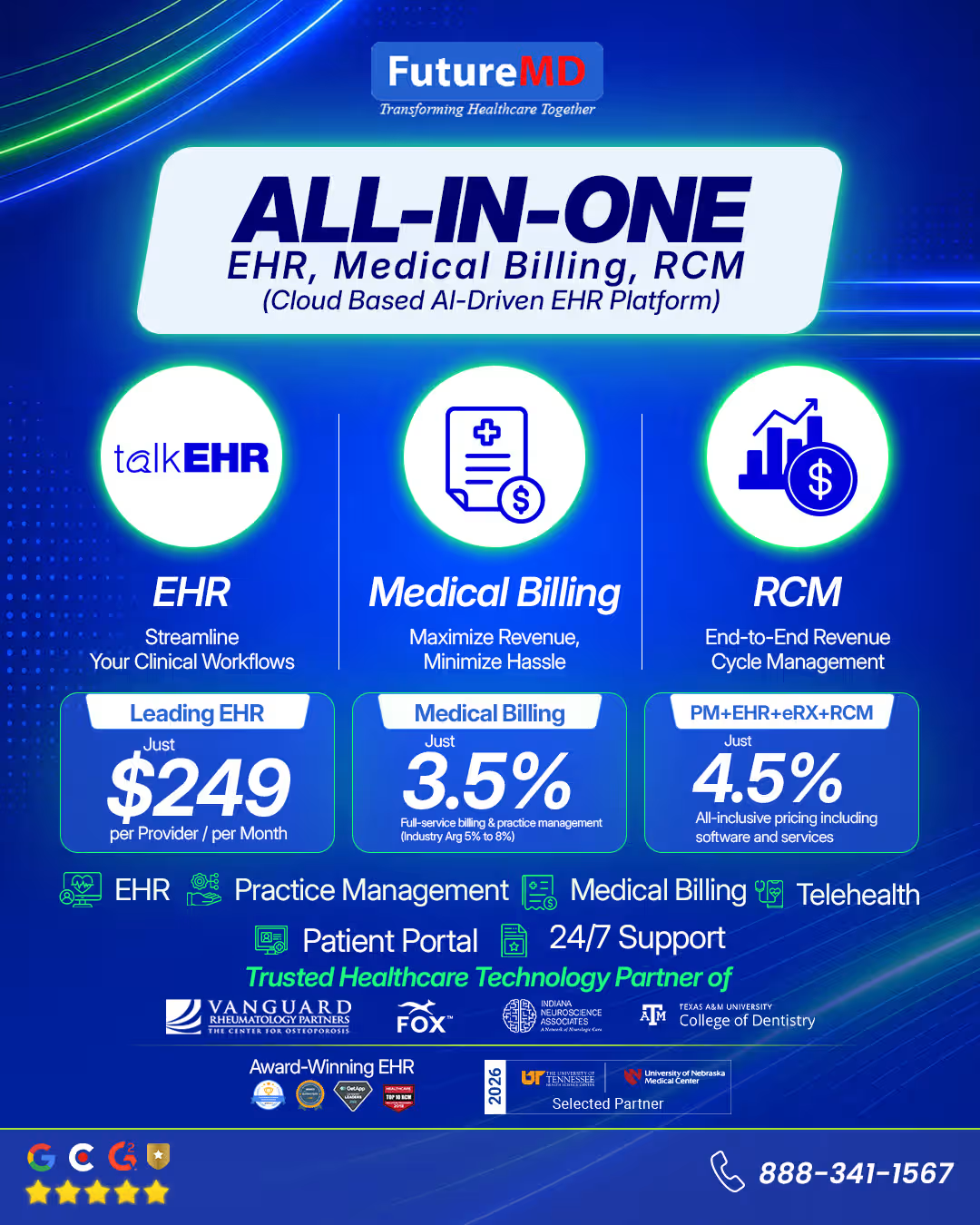
FutureMD Solutions offers talkEHR, an EHR/EMR platform described in the supplied product information as powered by CareCloud and designed to connect clinical documentation with practice management and revenue cycle workflows.
Reported capabilities include:
- Specialty-specific templates: More than 70 templates intended to support structured clinical documentation.
- Medical voice assistant: Voice-enabled charting to support documentation workflows.
- Cloud-based patient charts: Centralized access to clinical information for authorized users.
- Laboratory and imaging connectivity: Connections with supported diagnostic services.
- Telehealth functionality: Support for virtual-care documentation and associated workflows.
- Practice management: Scheduling, task management, reporting, and secure messaging.
- Revenue cycle services: Services described as covering claims workflows, payment posting, denial management, and financial reporting.
These capabilities may be relevant to practices seeking a more connected clinical and administrative workflow. Actual suitability depends on the features available under the proposed configuration, integration requirements, implementation plan, and service agreement.
Before purchasing, ask FutureMD Solutions to demonstrate the workflows most important to your practice and confirm pricing, compatibility, applicable certifications, and which services are included in your proposal.
Case Studies: Reported Results From FutureMD Solutions
The following examples illustrate results reported in the supplied FutureMD Solutions case-study material. They should be accompanied by documented measurement periods, definitions, and supporting evidence before publication.
Alvior Medical: Reported Revenue Cycle Performance
Alvior Medical, a primary care and internal medicine practice with two providers at one location, reportedly faced disconnected practice management and EHR workflows, administrative overtime, and limited financial visibility.
The challenge
Manual processes and delayed billing reports made it more difficult to manage claims, monitor administrative workload, and address Medicare reporting requirements.
The solution
According to the supplied case study, FutureMD Solutions implemented an integrated practice management, talkEHR, and revenue cycle management platform to connect clinical documentation, scheduling, billing, and performance reporting.
Reported results
- First-pass resolution rate increased from 88.9% to 95.2%.
- Revenue realization rate was reported at 96.6%.
- Administrative time savings exceeded one hour per day.
The reported outcome
Alvior Medical reported improvements in billing performance, administrative workload, and visibility into financial operations.
These figures reflect the supplied case-study claims. Confirm the calculation methods, definitions, comparison periods, and supporting documentation before publication. In particular, define how first-pass resolution and revenue realization are calculated.
Doctors on Call Maui: Reported Reduction in Days in A/R
Doctors on Call Maui, an urgent care provider operating two clinics with five providers, reportedly faced paper-based documentation, demanding intake workflows, and complex insurance billing. The supplied case study states that the organization handled more than 30,000 patient visits annually.
The challenge
Manual charting, repeated data entry, and claims follow-up created administrative pressure and slowed revenue cycle operations.
The solution
According to the supplied case study, FutureMD Solutions implemented a platform combining patient management, talkEHR, and revenue cycle management services to connect registration, clinical documentation, and billing workflows.
Reported results
- Days in accounts receivable (A/R) decreased from 23 to 8.5 days, a reported reduction of approximately 63%.
- Total billing increased by 122%.
- Charting time savings were reported at approximately 15 minutes per encounter.
The reported outcome
Doctors on Call Maui reported faster accounts receivable turnover, increased total billing, and improved provider documentation efficiency.
These results are based on the supplied case-study information and should be validated before publication. Clarify the comparison periods, the meaning of “total billing,” and whether the reported changes can reasonably be attributed to the implemented solution rather than other operational factors.
Questions to Ask Before Selecting an EHR
Before committing to an EHR vendor, make sure your practice can answer the following questions:
- Does the system support our specialty and clinical workflows?
- Which EHR integrations are available, and what do they cost?
- What security controls, contractual protections, and applicable certifications can the vendor document?
- What are the total implementation and ongoing costs?
- What training and technical support are provided?
- Can we export our patient records if we change vendors?
- How does the system connect clinical documentation with medical billing and revenue cycle workflows?
- Which features are included in our proposed configuration, and which require additional services?
Clear answers help reduce implementation surprises and make it easier to compare vendors objectively.
Is talkEHR Worth Considering for Your Practice?
Choosing an EHR is a clinical and operational decision that can influence documentation workflows, patient coordination, administrative effort, and financial processes.
Small medical practices should prioritize usability, specialty-specific documentation, appropriate security controls, interoperability, and reliable billing workflows. They should also assess the full cost of ownership and the level of vendor support available during implementation and ongoing use.
FutureMD Solutions’ talkEHR is worth evaluating for practices seeking AI-assisted documentation alongside connected clinical, practice management, and revenue cycle workflows. Its reported specialty templates, voice-assisted charting, diagnostic connectivity, scheduling, and reporting capabilities may align with some practices’ requirements.
The right choice depends on verified functionality, implementation needs, contract terms, total cost, and the experience of the clinicians and staff who will use the system.
Find the Right EHR and Revenue Cycle Workflow for Your Practice
Evaluate your clinical documentation, practice management, and billing requirements with FutureMD Solutions. Schedule a talkEHR demonstration to review available features, integration options, and potential fit for your practice.
Frequently Asked Questions
What should a small medical practice look for in an EHR?
Prioritize ease of use, specialty-specific documentation, security, interoperability, billing integration, technical support, and total cost of ownership. The best fit is the system that supports your actual workflows and requirements.
How does EHR integration support healthcare revenue cycle management?
EHR integration can connect clinical documentation with billing and practice management workflows. Depending on the configuration, this may help reduce duplicate data entry, make relevant information available to billing staff, and identify missing documentation. It does not guarantee fewer denials or faster payment.
Does an EHR replace medical billing software?
Not necessarily. Some EHR platforms include billing capabilities, while others integrate with separate practice management or medical billing systems. Confirm which functions are included and how information moves between applications.
How much does an EHR cost for a small medical practice?
Costs vary by vendor, number of users, features, implementation needs, and contract terms. Consider subscription charges alongside training, data migration, integrations, support, and other fees when comparing options.
Is a cloud-based EHR suitable for an independent medical practice?
A cloud-based EHR may suit an independent practice seeking access to patient records across supported locations. Evaluate availability, internet requirements, security, backups, disaster recovery, support, and record portability before selecting a platform.
What should practices ask about AI-enabled EHR software?
Ask how AI-generated documentation is reviewed, how accurately the system handles your specialty’s terminology, how patient data is processed and protected, and which features are available under your contract. Clinicians should review AI-generated content for accuracy and clinical relevance.
How can an EHR support practice growth?
An appropriately configured EHR may support growth by standardizing documentation, connecting workflows, and making information easier to access. Assess whether the platform can accommodate changes in staffing, patient volume, integrations, and reporting requirements as the practice evolves.